

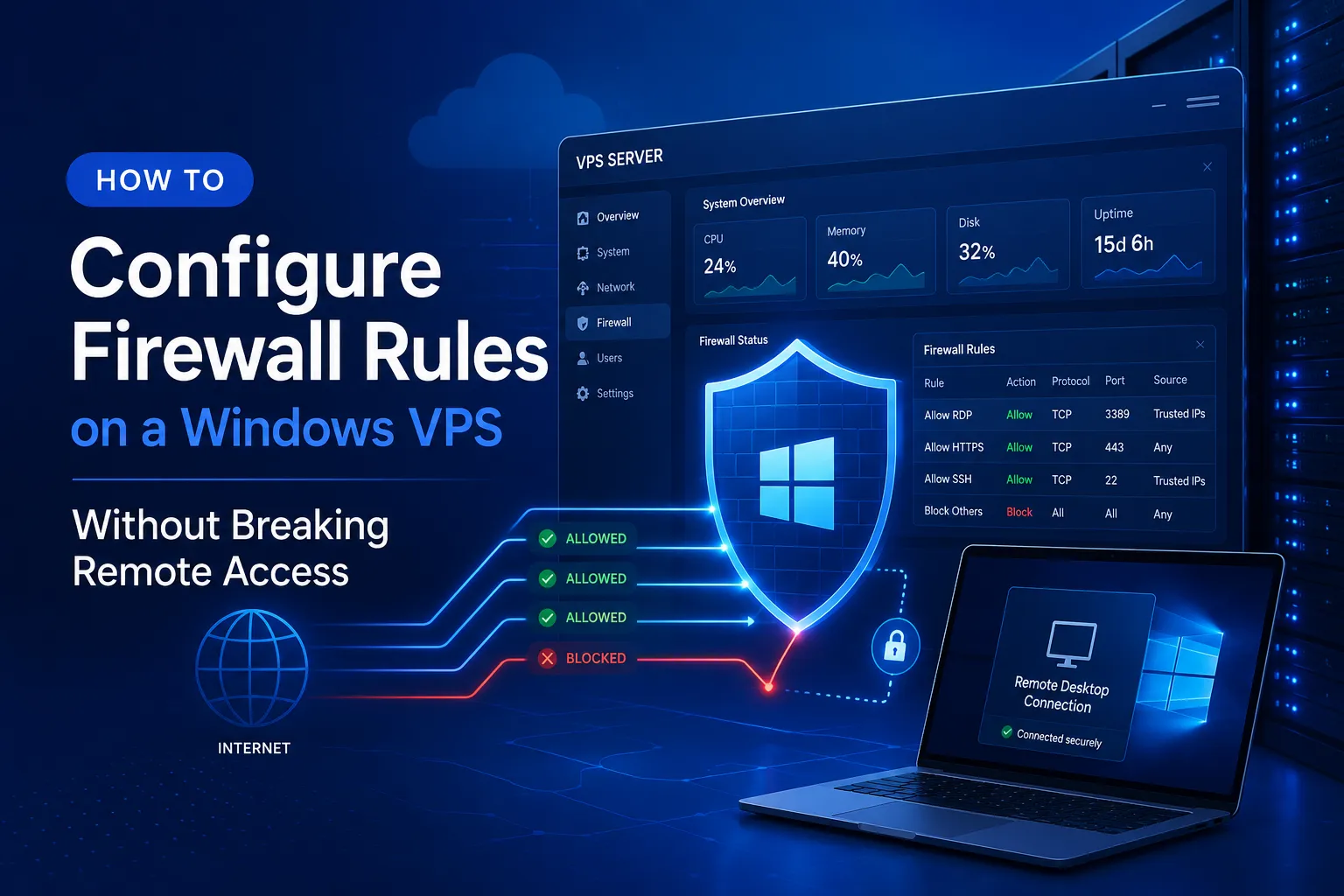
Configuring firewall rules on a Windows VPS is not just a technical task. It is part of defining how your server should be accessed, protected, and maintained over time. If too many ports remain open, or if rules are added without a clear plan, even a useful server can become harder to secure and harder to manage.
This is especially important for teams that rely on remote administration, public web services, internal tools, or long-running business workloads. A firewall should not simply block traffic. It should allow the right traffic for the right purpose while reducing unnecessary exposure wherever possible.
In this guide,
- we explain how to review exposed ports
- separate public services from administrative access
- understand the role of inbound and outbound rules
- apply changes without locking yourself out of the server
Whether you are reviewing an existing rule set or preparing a new Windows VPS for production, the goal is the same: build a firewall policy that improves security without making operations harder.
Why Firewall Planning Matters on a Windows VPS
Why a Public-Facing VPS Needs Tighter Traffic Control
A Windows VPS is not the same as a personal PC sitting behind a home router. In many cases, a VPS is directly reachable over the internet or deployed in an environment where public traffic can access exposed services much more easily. That changes the security baseline.
When a server is internet-facing, every open port becomes part of its attack surface. Even if a service is only intended for occasional administration, exposing it broadly can create unnecessary risk. Automated scans, repeated login attempts, and service discovery traffic are common realities for any public server.
That is why firewall planning should be treated as a core part of Windows VPS deployment, not as an optional cleanup step. A good firewall policy helps define what the server is supposed to do, who should be able to reach it, and which paths should remain closed by default.
How Firewall Rules Reduce Unnecessary Exposure
Firewall rules are one of the most effective ways to reduce exposure without changing the core role of your server. Instead of leaving services available to any source, you can restrict access by port, protocol, source IP range, direction, and usage pattern.
For example, a Windows VPS used for administration may require RDP access. However, that access does not need to be exposed to the entire internet. A server hosting a web application may require HTTP or HTTPS access for end users, while database ports may only need to be reachable internally or from a trusted management source. The goal is not to block everything. It is to align access with actual operational needs.
Once you think in those terms, firewall configuration becomes easier to manage. Instead of adding rules one by one whenever something breaks, you can start with a clear model: public services, administrative services, trusted sources, and everything else denied unless there is a clear reason to allow it.
Understand Inbound and Outbound Rules Before You Change Anything
What Inbound Rules Actually Protect
Inbound rules control what traffic is allowed to enter your Windows VPS. These rules are usually the first thing administrators review because they directly affect whether a service can be reached from outside the server.
If your Windows VPS hosts a website, inbound rules determine whether users can reach web ports. If your team manages the server remotely, inbound rules determine whether administrative services can accept connections. For most security reviews, inbound rules deserve close attention because they define which services are externally reachable and which sources are allowed to connect.
In practical terms, inbound rules should answer a simple question: what traffic should be allowed to reach this server from outside, and under what conditions? If you cannot clearly explain why a service needs inbound access, it probably should not be exposed broadly.
What Outbound Rules Matter for VPS Operations
Outbound rules control what traffic your server can send out. These rules often receive less attention, but they still matter, especially in controlled environments and production systems with stricter security requirements.
A Windows VPS may need outbound access for updates, package downloads, API communication, backup systems, monitoring agents, or external authentication services. If outbound rules are too permissive, the server may be able to reach destinations that are unnecessary for its role. If they are too restrictive, normal operations can fail in confusing ways.
You do not always need a highly locked-down outbound policy for every VPS. But you should at least understand which external services your server depends on. That way, if you tighten outbound access later, you can do so deliberately instead of guessing after something stops working.
Build a Minimum-Access Firewall Policy
Allow Only the Services You Truly Need
A strong Windows VPS firewall policy starts with a clear service inventory. Before you add or remove rules, list the services that the server actually needs to support. That list should include public-facing applications, administrative methods, update channels, monitoring components, and any role-specific dependencies.
This step matters because many firewall problems start with unclear assumptions. A port may remain open because it was useful during testing. A remote tool may still be exposed even though the team stopped using it months ago. A temporary rule can become permanent simply because no one reviews it later.
Instead, define the server’s required services in plain language before writing any rules.
- Does it need web traffic?
- Does it need administrative access?
- Does it need a file-sharing service?
- Does it need to communicate with an application database?
Once you know the true requirements, you can build rules around them and avoid exposing features you do not use.
Minimum access does not mean reduced functionality. It means matching network permissions to actual business and operational needs. That approach makes a Windows VPS easier to secure, easier to document, and easier to troubleshoot later.
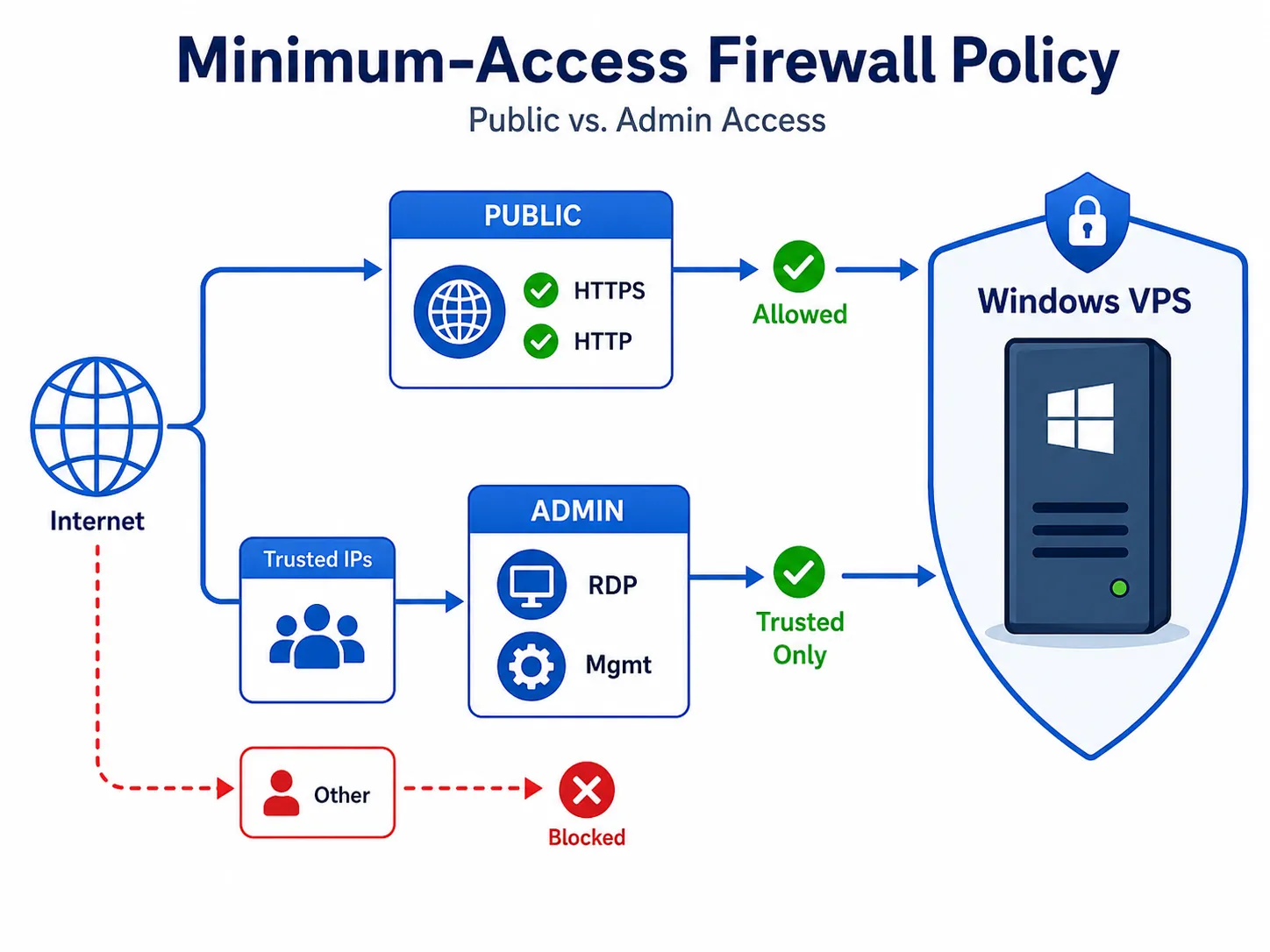
Separate Administrative Access From Public Services
One of the most useful firewall practices is separating administrative traffic from public traffic. These are not the same kind of access, and they should not be controlled in the same way.
Public services are meant for users, customers, or application clients. Administrative services are meant for trusted operators. A web server might need public HTTPS access, but its administrative entry points should ideally be restricted to a smaller set of source addresses or management paths. The same logic applies to application dashboards, management consoles, and remote server access.
When administrative access is grouped together with public access, rules tend to become too broad. It becomes easy to justify opening more than necessary just to keep management convenient. A better approach is to decide which services are public by design and which are private by design, then write firewall rules that reflect that boundary.
This separation also improves future maintenance. When the server role changes, or when a new team takes over, it is much easier to understand a firewall policy that clearly distinguishes end-user traffic from operator traffic.
Review the Ports and Services Exposed on Your Windows VPS
Check Administrative Ports Such as RDP Carefully
Administrative ports deserve especially careful review because they provide direct control over the server. On a Windows VPS, Remote Desktop is often the first example that comes to mind, but the broader principle matters more than any single protocol.
Ask whether administrative access really needs to be reachable from any location. In many environments, the better answer is no. Administrative access is often safer when limited to specific office IP addresses, trusted operators, or a more controlled access pattern. The exact method may vary by environment, but the policy goal is consistent: reduce exposure for high-value management services.
You should also review whether there are old or duplicate administrative paths still enabled. If your team previously tested another management tool, or if multiple methods were left available “just in case,” consider whether all of them are still needed. Multiple management paths may feel convenient, but each additional exposed entry point adds complexity and risk.
For most Windows VPS deployments, administrative ports should be reviewed more frequently than standard public ports because they are closely tied to control, recovery, and privilege.
Reassess Web, App, and Legacy Service Ports
Not every open port on a Windows VPS is a security problem, but every open port should have a clear reason to exist. That is particularly true for web, application, middleware, and legacy service ports.
Some ports are expected because they support the server’s main function. Others remain open because of migration history, software defaults, or old troubleshooting sessions. Over time, it becomes easy for exceptions to accumulate. That is why regular review matters.
Look at each exposed service and ask a few practical questions.
- Is it still required?
- Is it still supposed to be public?
- Could it be restricted to a smaller source range?
- Is the service tied to software that is no longer used?
Even when the answer is not “close it immediately,” the review process helps reduce uncertainty.
Legacy protocols deserve especially close attention. If a service exists only because “it has always been there,” it may be a good candidate for restriction or removal. A clean firewall policy is not only safer, but also makes your Windows VPS easier to operate, document, and explain to others.
Make Firewall Changes Without Locking Yourself Out
Verify Your Current Access Path Before Editing Rules
One of the most common mistakes in firewall administration is changing rules before confirming how current access actually works. On a remote Windows VPS, that mistake can turn a small security improvement into an urgent recovery issue.
Before editing any rules, confirm exactly how you are currently managing the server. Check the source IP, protocol, and any dependencies involved in that access path. If the connection is temporary, dynamic, or routed through another layer, account for that before tightening anything.
It is also a good idea to confirm whether there is a recovery path available through your hosting environment or internal operations process. Even if you do not expect to use it, knowing your recovery path in advance makes controlled changes much safer.
This level of preparation may feel cautious, but it is part of professional server administration. Good security changes should improve control, not create avoidable downtime.
Apply Changes Gradually and Keep a Recovery Option
Firewall changes are generally safer when applied in stages. Instead of rewriting a large set of rules all at once, adjust one part of the policy, validate access, confirm service behavior, and then move to the next change.
This gradual approach helps you identify exactly which rule affects which function. If something breaks, troubleshooting becomes much easier because the impact is smaller. You are not trying to reverse-engineer ten changes at once.
It is also wise to keep a recovery option in mind before tightening access. That might mean documenting the previous state, scheduling the change during a supported window, or ensuring that another trusted administrator can verify connectivity from an approved source. The exact process depends on the environment, but the principle is simple: do not treat firewall changes as an all-or-nothing gamble.
On a production Windows VPS, careful rollout is part of security maturity. Safer rules are valuable, but controlled implementation is what keeps the server usable while you improve its security.
Firewall Best Practices for Safer Remote Access
Restrict Administrative Access by IP Whenever Possible
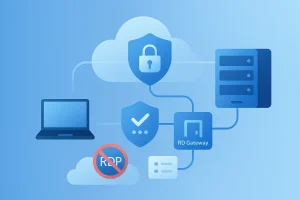
If a management service must remain reachable, IP-based restrictions are often one of the most practical ways to reduce exposure. Rather than allowing access from anywhere, restrict it to known and trusted locations whenever operationally possible.
This does not solve every security concern on its own, but it is still a meaningful control. It reduces the number of sources that can even attempt to reach an administrative service, which is often more effective than relying only on the service layer to reject unauthorized attempts.
For teams with predictable office, home office, or partner network ranges, this kind of restriction can be especially effective. For more dynamic environments, the policy may need to be adapted carefully, but the design principle still holds: administrative access should be as narrow as your real workflow allows.
This is also a reminder that convenience should not automatically take priority over control. A Windows VPS meant for reliable operations should not expose management paths more broadly than necessary simply because that feels easier in the short term.
Review and Clean Up Rules on a Regular Basis
Firewall configuration should not be treated as a one-time project. A Windows VPS changes over time. Software is added, services are removed, operations move between teams, and temporary exceptions become permanent unless someone revisits them.
That is why periodic rule review matters. Even a simple review cycle can improve security and clarity. Check which rules still map to active services. Remove rules tied to old software. Rename unclear rules if necessary so the purpose is easier to understand. Confirm that source restrictions still match the current administration model.
Regular cleanup improves both security and manageability. A shorter, clearer rule set is easier to audit and less likely to contain hidden mistakes. For teams operating Windows workloads over the long term, this kind of maintenance is not unnecessary overhead. It is part of keeping the VPS dependable.
Choose a Windows VPS Environment That Supports Safer Operations
Why Stability Matters When You Tighten Security Controls
Firewall configuration is easier to manage when the surrounding environment is stable. If the server platform, network conditions, or administration workflow are unpredictable, even well-designed firewall policies become harder to operate safely.
That is one reason infrastructure quality still matters. When you tighten security controls, you need a Windows VPS environment that supports consistent access, predictable performance, and straightforward administration. Stability reduces the chance that you will loosen rules unnecessarily just to work around avoidable operational issues.
Security is not only about blocking threats. It is also about maintaining reliable control over your systems. A dependable VPS environment helps teams make better decisions because it becomes easier to separate real policy needs from platform-related frustration.
Why a Japan Windows VPS Can Simplify Administration
For teams and users who need workloads hosted in Japan, a Japan Windows VPS can support both operational consistency and region-specific requirements. A local Windows VPS environment can make it easier to align administration, workload placement, and user access expectations within a single hosting model.
That matters when you are building a server policy that needs to stay manageable over time. Instead of treating security as a collection of ad hoc fixes, you can build access rules on top of a more stable foundation. For businesses, developers, and infrastructure teams working with Japan-focused services, that can make both security planning and day-to-day administration more practical.
The key point is not that firewall rules replace infrastructure choices, or that infrastructure choices replace firewall rules. It is that good firewall design becomes easier when the VPS platform itself supports organized, predictable operations.
Final Checklist Before You Put a Windows VPS Into Production
Before a Windows VPS goes live, review the firewall policy from both an operational and a security perspective.
- Confirm which services truly require inbound access.
- Separate public services from administrative services.
- Restrict management access as tightly as your actual workflows allow.
- Review whether any legacy or temporary ports are still exposed.
- Confirm that outbound access still supports required updates and integrations.
- Test changes in controlled steps instead of making large edits all at once.
- Keep a recovery path in mind before tightening rules further.
A well-configured firewall does more than block unwanted traffic. It helps define the intended role of your server, protects administrative access, and reduces uncertainty across daily operations. On a Windows VPS, that kind of clarity is one of the simplest ways to improve security without making the system harder to manage.
If your current rule set has grown over time, or if you are deploying a new Windows VPS from scratch, now is a good time to simplify it. Start with what the server actually needs, remove what it does not, and treat every open path as something that should be clearly justified.
Conclusion
Configuring firewall rules on a Windows VPS is not only about closing ports. It is about deciding which services truly need access, separating public traffic from administrative traffic, and applying changes in a way that protects both security and usability.
A well-planned firewall policy helps reduce unnecessary exposure, keep remote access under control, and make server behavior easier to understand over time. That is especially important for teams managing production workloads, remote administration, or long-term Windows-based services.
If you start with actual service requirements, review exposed ports regularly, and make changes carefully, you can build a firewall policy that is both safer and easier to maintain. In practice, strong firewall management is less about complexity and more about clarity, consistency, and controlled operations.
FAQ
Q1. What is the safest way to manage firewall rules on a Windows VPS?
A practical approach is to allow only the services your server actually needs, separate public services from administrative access, and apply firewall changes gradually so you do not lose remote connectivity.
Q2. Should RDP or other administrative services be open to the entire internet?
In most cases, no. Administrative services should be restricted as much as possible, ideally by source IP, trusted operators, or another controlled access pattern that matches your real workflow.
Q3. Do outbound firewall rules matter on a Windows VPS?
Yes. Outbound rules can affect updates, backups, monitoring, API communication, and external authentication. Even if you do not lock them down aggressively at first, you should understand which external services your VPS depends on before tightening them later.
Choose a Japan Windows VPS for More Stable and Secure Operations
If you need a Windows VPS environment that supports reliable remote administration, predictable performance, and easier security management, comparing Japan VPS plans is a practical next step. A stable platform makes it easier to apply firewall rules carefully, protect administrative access, and keep production operations under control.