

A cheap Windows VPS can be a smart choice for staging and testing, but only when the plan matches your actual workflow. Non-production environments usually do not need production-grade resources, yet they still need enough RAM, SSD storage, Remote Desktop usability, and stability to support real validation work.
This article explains when a low-cost Windows VPS makes sense, what practical specs to review, how to avoid plans that are too limited, and when a Japan-based server can improve testing relevance. If your team depends on Windows-specific tools, shared RDP access, or Japan-facing workflows, the goal is not to choose the lowest price at any cost. It is to choose a practical environment that stays usable, predictable, and easy to manage throughout your release cycle.
Why a Cheap Windows VPS Can Make Sense for Staging and Testing
Why staging and test environments usually do not need production-grade resources
Staging and test environments exist to help teams verify code, validate workflows, and reduce deployment risk before changes reach production. Because of that role, they often do not need the same performance headroom as a live system handling real customer traffic.
For example, a test server may only need to support internal users, scheduled QA work, or short bursts of validation activity. A staging environment may only run during release windows or development cycles. In these cases, paying for a high-end Windows server all month can be unnecessary.
This is where a cheap Windows VPS becomes a practical option. Instead of overprovisioning non-production infrastructure, teams can use a right-sized virtual server that meets their actual needs while keeping monthly hosting costs predictable.
Why Windows still matters for certain development and validation workflows
Linux is often the default choice for web workloads, but many teams still rely on Windows for valid operational reasons. Your application may depend on IIS, .NET workloads, Windows-specific services, Active Directory-related testing, Microsoft tooling, or internal business software designed around Windows Server.
Windows can also be the simpler choice when a team needs a familiar graphical interface through Remote Desktop. For smaller organizations, external contractors, or mixed-skill teams, the ability to log in quickly and inspect settings visually can save time during testing.
If your deployment process, middleware, or internal tools depend on Windows, a cheap Windows VPS may be more useful than a low-cost Linux server that does not reflect the environment you actually need to validate.
What a Staging or Test Windows VPS Actually Needs
Minimum practical specs for CPU, RAM, and SSD storage
The best low-cost plan is not always the cheapest one on paper. It is the one that gives your team enough resources to complete validation work without unnecessary friction.
For basic staging or testing, start by thinking about what the server must do:
- Run Windows Server smoothly
- Allow Remote Desktop access without severe lag
- Install updates and supporting software
- Host your application, test database, or validation tools
- Store logs, build artifacts, and temporary test data
In many cases, an entry-level or lower-midrange Windows VPS can support this kind of work if the workload is light. The main risk is underestimating memory and storage needs. Windows itself uses a meaningful share of system resources before your application even starts, so a very small plan may feel inexpensive at first but become frustrating in daily use.
RAM matters especially for Windows-based testing. If you want to run a browser, application services, background updates, and Remote Desktop at the same time, too little memory will make the environment feel slow and unreliable. SSD storage is also important because it affects boot speed, updates, log writes, and general responsiveness.
When evaluating cheap plans, look for a practical balance rather than the lowest possible number. A slightly better plan with more RAM or faster storage can often save more time than it costs.
Remote Desktop usability, network access, and Windows licensing
For many teams, the everyday experience of using a Windows VPS matters more than raw benchmark numbers. If Remote Desktop feels unstable, access is inconsistent, or Windows licensing is unclear, a low monthly price quickly becomes less attractive.
Before choosing a provider or plan, confirm the following:
- Support for Remote Desktop access and ease of management
- Inclusion of a Windows license or clear licensing terms
- Ease of access from your region
- Sufficient network performance for internal testing and administrative work
- Compatibility between the Windows Server version and your application or testing requirements
If your team manages environments through Remote Desktop regularly, usability should be part of your buying decision. A cheap Windows VPS that is hard to access, difficult to configure, or unclear about licensing can create unnecessary operational risk.
For teams that need help with the practical side of remote access, it can also make sense to review setup best practices before deployment. A structured Remote Desktop workflow can reduce confusion when staging systems are shared across developers, QA staff, and support teams.
How to Avoid Choosing a VPS That Is Too Cheap
Common problems with underpowered plans for testing work
There is a difference between a budget VPS and a plan that is too limited for practical testing work. In non-production environments, the impact is not usually a major outage. More often, it appears as lost time, inconsistent validation results, and repeated troubleshooting.
Common issues include:
- Slow Remote Desktop sessions that waste time during setup and testing
- Insufficient RAM for browsers, services, and background tasks
- Limited disk space that fills up after updates, logs, or temporary files
- Slow storage that makes the whole environment feel unstable
- Difficulty reproducing realistic test conditions because the server is too constrained
These problems matter even more when staging is part of your release process. A server that constantly freezes, runs into memory pressure, or runs out of disk space can reduce the team’s trust in the environment. Once that happens, the staging server stops being a reliable checkpoint and becomes another source of uncertainty.
Why backups, snapshots, and upgrade options still matter
Because staging and test servers are not production systems, some teams assume that backups are unnecessary. In reality, recovery options are often still valuable. Even if the data itself is temporary, the environment may contain configurations, application versions, test scripts, or setup work that your team does not want to rebuild from scratch.
Snapshots or backup options are especially useful when:
- You want to roll back after a failed update
- You need to duplicate an environment for another round of testing
- You want a clean restore point before a release rehearsal
- Multiple team members share the same validation server
Upgrade flexibility also matters. Your workload may start small, but staging environments often grow over time. A plan that can scale up cleanly is usually a better choice than the absolute cheapest option with no room to grow.
When a Japan-Based Windows VPS Is a Smart Choice
Testing Japan-facing services, applications, and user experiences
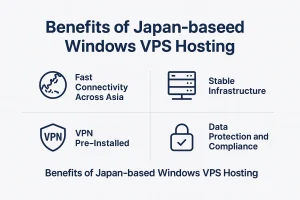
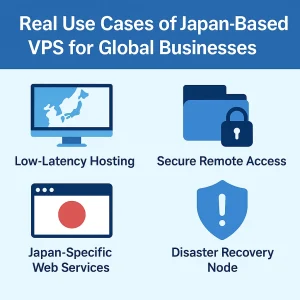
If your product, website, SaaS platform, or internal workflow is intended for Japan, then using a Japan-based Windows VPS for staging or testing can be a practical decision. Server location affects more than simple geography. It can influence access patterns, latency expectations, deployment workflows, and how realistically your team can validate a Japan-facing service.
This becomes useful when you need to:
- Check how a service behaves from a Japan-based environment
- Validate internal operations that depend on Japan-side infrastructure
- Support collaboration with teams, clients, and vendors in Japan
- Prepare a pre-production environment closer to your intended users
For some teams, the goal is not only technical testing but also operational consistency. A Japan-based Windows VPS can provide a more practical environment for internal validation than a server in a nearby region that does not reflect your actual operating context.
Why location can matter for latency, localization, and workflow checks
Even when a staging server is small, location can still affect the quality of validation. If your users are in Japan, if your workflows involve Japanese services, or if your release process depends on Japan-based connectivity, it makes sense to consider a server located in Japan.
Location can matter when you are checking:
- Page behavior and performance from a Japan-side environment
- Localization and content display for Japanese users
- Business workflows that connect to Japan-hosted systems
- Operational timing between regional teams and Japan-based infrastructure
This does not mean every staging server must be in Japan. But for Japan-facing applications, choosing a Japan-based Windows VPS can create a more relevant and more realistic validation environment.
Cheap Windows VPS vs Other Options for Non-Production Work

Comparing Windows VPS with local virtual machines and cloud instances
Teams do not evaluate a Windows VPS in isolation. In many cases, the real alternatives are local virtual machines, spare office hardware, or public cloud instances with usage-based billing.
Local VMs can work well for individual development, but they become less practical when multiple stakeholders need access, when environments need to stay online, or when testing should happen in a more stable remote setup. Office hardware may appear inexpensive, but it can create maintenance, connectivity, and reliability burdens that many teams would rather avoid.
Cloud instances offer flexibility, but pricing can become less predictable when environments stay online for long periods or when teams provision more resources than expected. For staging and QA workflows that run continuously or recur often, a cheap Windows VPS may offer a simpler and more predictable monthly cost structure.
The main advantage of a cheap Windows VPS in this context is cost clarity. You know the environment, you know the operating system, and you know roughly what the monthly cost will be.
Why predictable monthly cost matters for staging and QA environments
Non-production infrastructure often gets less budget attention than production. That is exactly why predictable pricing matters. A server used for staging, QA, internal demos, or release testing should support the team without becoming a financial wildcard.
A fixed-cost Windows VPS makes it easier to:
- Plan recurring infrastructure spend
- Keep non-production costs visible to managers and stakeholders
- Avoid overcommitting to cloud resources for small validation tasks
- Run ongoing test environments without constant cost review
For startups, agencies, distributed engineering teams, and internal IT groups, that predictability can be just as valuable as raw technical performance.
A Practical Checklist Before You Choose a Budget Windows VPS
What to confirm before you commit to a low-cost plan
Before choosing a cheap Windows VPS for staging or testing, review the practical requirements of your environment carefully. This helps prevent the common mistake of selecting a server based only on the advertised price.
Start by confirming what the environment needs to support in daily use and during release preparation.
- What applications or services will run on the server?
- How many people need access at the same time?
- Will you use the server daily or only around release cycles?
- Do you need IIS, Windows-specific tools, or Microsoft integrations?
- How much storage will updates, logs, and test data require?
- Will snapshots or backups be needed for rollback?
- Do you need a Japan-based location for testing relevance?
- Can the plan be upgraded later without major disruption?
A checklist like this shifts the question from “What is the cheapest Windows VPS?” to “What is the cheapest Windows VPS that can still do the job well?” That is a much more useful question for staging and QA work.
How to choose a plan that can support your next testing phase
Your current needs are only one part of the decision. A useful staging server should also support the next phase of testing. That could mean larger builds, additional testers, more realistic data, or more frequent deployment rehearsals.
In practice, it is often smarter to choose a low-cost plan from a provider that offers clear upgrade paths than to choose a rock-bottom plan that forces a migration later. The best budget option is not always the cheapest plan today. It is the plan that remains practical as your validation needs evolve.
Conclusion: Start Small, but Choose for Stability
A cheap Windows VPS can be an excellent fit for staging and testing environments when you choose it with realistic expectations. Non-production environments usually do not need enterprise-scale resources, but they still need enough stability, storage, and accessibility to support real validation work.
If your team depends on Windows-based workflows, Remote Desktop access, or Japan-facing validation, a low-cost Windows VPS can be a practical and efficient part of your non-production infrastructure. The goal is not to buy the cheapest plan available at any cost. The goal is to choose a plan that is affordable, usable, and ready for your actual testing process.
Start small if you need to, but make sure the environment is reliable enough to help your team move faster, validate more confidently, and prepare for production with less friction.
FAQ
Q1. Is a cheap Windows VPS enough for staging or testing?
Yes, in many cases it is. A cheap Windows VPS can work well for staging or testing if it has enough RAM, SSD storage, stable Remote Desktop access, and a Windows environment that matches your actual workflow.
Q2. What should I check before choosing a low-cost Windows VPS?
You should confirm practical requirements such as memory, storage, Remote Desktop usability, Windows licensing, backup or snapshot options, upgrade flexibility, and whether a Japan-based location is necessary for your validation work.
Q3. When does a Japan-based Windows VPS make sense?
A Japan-based Windows VPS is especially useful when your service targets users in Japan, your team works with Japan-based systems, or you need a more realistic environment for latency, localization, and workflow validation.
Compare Japan Windows VPS Plans for Practical Staging and Testing
If you are looking for a cost-effective environment for staging, QA, or Japan-facing validation, it helps to compare plans based on Windows usability, Remote Desktop comfort, storage balance, and upgrade flexibility. Review the available Japan VPS plans to find a setup that matches your testing workflow without overpaying for unused capacity.