

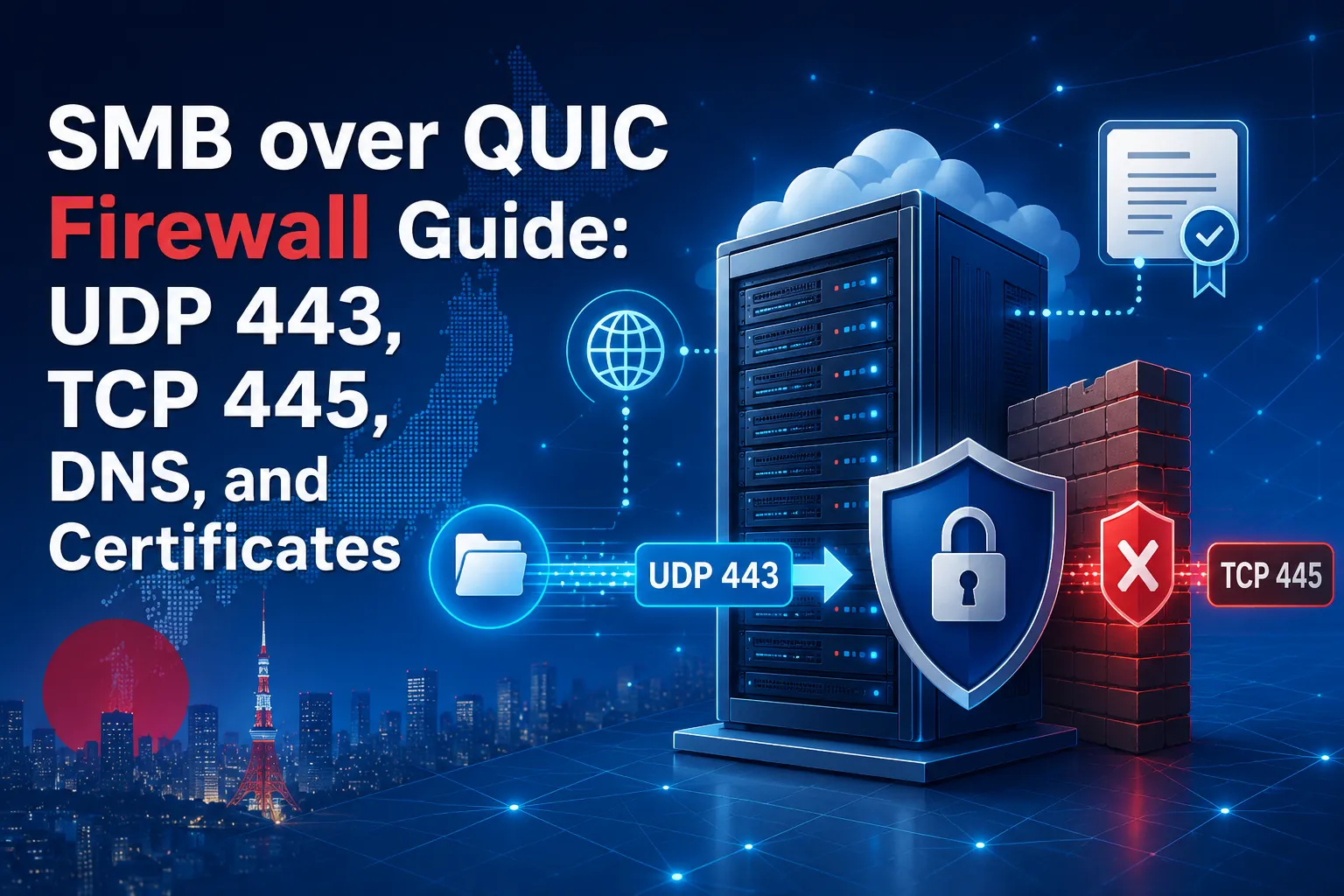
SMB over QUIC provides a secure way for supported Windows clients to access file shares over untrusted networks without exposing conventional SMB directly to the public internet. In a standard deployment, remote clients connect through a QUIC connection protected by TLS 1.3, using inbound UDP port 443 by default. Public inbound TCP port 445 is not required and should remain blocked at the internet-facing boundary.
Opening UDP port 443 in Windows Defender Firewall, however, is only one part of the configuration. The traffic must also pass through hosting-platform firewalls, VPS network controls, routers, NAT rules, load balancers, and any other security devices between the client and the file server. DNS and certificate settings are equally important because clients must connect through a fully qualified domain name that matches the server certificate.
This guide explains how SMB over QUIC changes network design, which firewall rules to configure, and why TCP and UDP rules for port 443 are not interchangeable. It also covers common failures involving TCP port 445, NAT, DNS resolution, certificate validation, and server certificate mapping. A practical before-and-after checklist helps Windows and network administrators validate the complete connection path when deploying SMB over QUIC on a Windows server or Japan Windows VPS.
What SMB over QUIC Changes in Network Design
In a typical SMB over QUIC deployment, the public-facing firewall allows inbound UDP port 443 while keeping inbound TCP port 445 closed. Traditional direct-hosted SMB uses TCP port 445, which is suitable for controlled internal networks but should not be exposed directly to the public internet.
SMB over QUIC changes the transport used between the remote client and the file server. SMB continues to provide the file-sharing experience, including authentication, authorization, signing, and other supported SMB capabilities. However, the SMB session runs through a QUIC connection protected by TLS 1.3.
By default, the server accepts SMB over QUIC connections on UDP port 443.
How to Enable SMB over QUIC on Windows Server 2025 with Windows 11 Clients
UDP 443 vs. TCP 445 for SMB over QUIC
The distinction between UDP and TCP is essential when defining firewall rules. An allow rule for TCP port 443 does not automatically permit UDP port 443. Although both rules use the same port number, they apply to different transport protocols.
A typical HTTPS connection uses TCP port 443, while SMB over QUIC uses UDP port 443 by default. A firewall requirement that says only “allow port 443” is therefore ambiguous unless it also identifies the required transport protocol.
From the public network to the file server, the connection typically follows this sequence:
- The remote Windows client resolves the file server’s fully qualified domain name to its public-facing IP address.
- The client sends QUIC traffic to the server over UDP port 443.
- The server presents the certificate configured for SMB over QUIC.
- The client validates the certificate and confirms that the server name matches the certificate.
- After the QUIC connection is established, SMB authentication and file-sharing traffic continue inside the protected connection.
TCP port 445 can remain available for conventional SMB access on trusted internal network segments, subject to the organization’s security policy. However, it is not a public companion port and does not need to be opened to the internet when SMB over QUIC is enabled.
SMB over QUIC Firewall Ports and Network Requirements
The SMB over QUIC firewall requirements are simple in a standard deployment: allow inbound UDP port 443 to the file server and keep public inbound TCP port 445 blocked.
- Allow inbound UDP port 443 from approved client networks or source ranges to the SMB over QUIC endpoint, where practical.
- Do not allow public inbound TCP port 445 merely to support remote SMB over QUIC users.
- Ensure that the established QUIC session and its return traffic are permitted by all firewalls, NAT devices, and network security appliances in the path.
- Confirm that inbound UDP port 443 is forwarded to the intended SMB over QUIC file server when NAT, port forwarding, or another edge layer is present.
Opening UDP port 443 does not necessarily mean allowing traffic from every source IP address. Where practical, restrict the rule to known office networks, managed egress gateways, or other approved source ranges.
Source-based restrictions are not always practical for mobile employees or users with changing residential IP addresses. In those cases, use layered security controls rather than treating unrestricted source access as sufficient protection. These controls should include server certificate validation, Windows authentication, authorization, account protection, monitoring, and timely security updates.
Review Outbound Dependencies
Outbound filtering also requires careful review. Many Windows environments allow outbound traffic by default, but stricter policies can prevent access to services required by the deployment. Depending on the network, identity, and certificate design, the server or client may need outbound or internal network access for:
- DNS resolution
- Certificate chain building and revocation-status checks
- Windows updates and security services
- Monitoring, alerting, and centralized logging
- Required identity services, such as domain controllers or a configured KDC Proxy
Do not create broad outbound rules without first identifying these dependencies. Document each required service, destination, port, and protocol, and then permit only the traffic required by the design.
How to Check SMB over QUIC Firewall Rules End to End
Opening UDP port 443 in Windows Defender Firewall is only one part of a standard SMB over QUIC deployment. The UDP flow must be permitted through every relevant control point between the remote client and the SMB over QUIC endpoint.
A useful troubleshooting approach is to inspect the connection path from the outside inward:
- Client network and local security controls
- Internet, ISP, or WAN path
- Hosting provider or cloud firewall
- Edge router, virtual network gateway, or load balancer
- NAT or port-forwarding layer
- Windows Defender Firewall
- SMB over QUIC listener and certificate configuration
How to Configure Firewall Rules on a Windows VPS Without Breaking Remote Access
Server Firewall, Edge Firewall, and NAT Path
Start with Windows Defender Firewall on the file server. Verify that an enabled inbound rule permits the configured SMB over QUIC UDP port on the appropriate firewall profiles and interfaces. In a standard deployment, this is UDP port 443.
Use firewall logging or a narrowly scoped temporary test rule to isolate problems. Avoid disabling the firewall as a permanent solution. Disabling it removes an important security boundary and provides limited information about which rule or profile is incorrect.
Next, review the hosting platform or perimeter firewall. A Japan Windows VPS may be protected by both the Windows host firewall inside the guest operating system and an external firewall or security rule provided by the hosting platform. Both layers must permit the required UDP connection.
When NAT is involved, confirm that the public SMB over QUIC port is forwarded over UDP to the correct private IP address and destination port. A forwarding rule created only for TCP port 443 will not carry SMB over QUIC traffic.
The following conceptual rule describes a typical public-facing configuration:
| Source | Approved remote clients or required public sources |
|---|---|
| Destination | Public IP address of the SMB over QUIC endpoint |
| Protocol | UDP |
| Destination port | 443 |
| Action | Allow |
If the public IP address belongs to a router, cloud gateway, or other edge device, add a corresponding UDP forwarding rule to the private IP address of the intended file server. Replace port 443 with the configured SMB over QUIC port if the deployment uses an alternative port.
Check Load Balancers, Proxies, and Port Conflicts
If several backend servers must share one public IP address and the same UDP destination port, the design requires a UDP-aware intermediary or a different port and address strategy. A TCP-only or HTTP-only reverse proxy cannot forward SMB over QUIC unless it also provides suitable UDP or QUIC forwarding.
Any load balancer, gateway, or network appliance placed in front of the file server must explicitly support the required UDP flow. It must maintain that flow consistently enough for the QUIC connection to remain established. Before adding an intermediary, confirm its support for UDP forwarding, session persistence where required, health checks, and appropriate UDP idle timeouts.
Also determine whether UDP port 443 is already assigned to another service on the same destination IP address. TCP port 443 and UDP port 443 can normally coexist because they use different transport protocols. However, two services cannot normally bind independently to the same local IP address and UDP port unless the operating system and applications explicitly support port sharing.
Common SMB over QUIC Troubleshooting Mistakes
Firewall troubleshooting can be misleading because several different failures can produce the same user-facing symptom: the file share cannot be reached. Common SMB over QUIC troubleshooting issues include allowing the wrong transport protocol, resolving the server name to the wrong address, and presenting a certificate that does not match the client-facing FQDN.
- Opening TCP port 443 instead of UDP port 443.
The port number is correct, but the transport protocol is wrong. Review the Windows host firewall and every upstream firewall, gateway, security rule, and NAT configuration. - Opening UDP port 443 only in Windows Defender Firewall.
An external firewall, VPS security layer, router, load balancer, or NAT device may still drop the UDP flow before it reaches Windows. - Opening inbound TCP port 445 to the public internet as a fallback.
This bypasses the intended remote-access design and unnecessarily exposes the conventional SMB transport. SMB over QUIC carries remote SMB traffic through a TLS 1.3-protected QUIC connection and does not require public inbound access to TCP port 445. - Assuming public and internal firewall requirements must be identical.
An organization may permit TCP port 445 between controlled internal systems while requiring remote users to connect through SMB over QUIC. Internal and external policies can differ as long as the boundaries, source ranges, and permitted connection methods are documented and deliberately enforced. - Connecting by IP address instead of the configured DNS name.
The client should connect using an FQDN that is included in the server certificate’s Subject Alternative Name and mapped to the SMB over QUIC server. Do not use an IP address as the SMB over QUIC server name. - Using a DNS name that resolves to the wrong address.
The public FQDN must resolve to the public-facing address through which the configured UDP port reaches the intended server. Split DNS can be useful, but each DNS response must direct the client to an address and route that support the intended connection method. - Using a certificate that does not include the client-facing FQDN in its Subject Alternative Name.
The server certificate must represent the exact DNS name clients use to connect. A trusted certificate issued for a different hostname does not resolve the name mismatch. - Ignoring certificate trust, validity, or revocation status.
A certificate can contain the correct DNS name and still fail validation because it is expired, not yet valid, issued by an untrusted certification authority, or affected by certificate-chain or revocation-status validation errors. - Failing to verify the server certificate mapping.
The certificate and client-facing FQDN must be correctly associated with the SMB over QUIC server. A valid certificate installed on the server is not sufficient if the SMB over QUIC configuration does not use the intended certificate and server name. - Changing multiple layers at once.
Simultaneously editing DNS, certificates, firewall rules, NAT, and SMB configuration makes troubleshooting much harder. Change one controlled component at a time, record the result, and revert unsuccessful changes before moving to the next layer.
A successful UDP reachability test confirms only one part of the deployment. It does not verify the server identity, certificate trust, server certificate mapping, supported Windows client, authentication path, or SMB over QUIC configuration. Network reachability is necessary, but all of these components must be correct before the file share can be accessed successfully.
Common SMB over QUIC Troubleshooting Mistakes
Use this SMB over QUIC checklist to validate the server, certificate, DNS, firewall, and client configuration before and after allowing inbound UDP port 443.
Before the Firewall Change
SMB over QUIC and Windows 11: Client Support, 24H2 Changes, and Deployment Checks
- Supported Windows Server version and edition
- Supported client operating systems
- SMB over QUIC enabled and configured on the file server
- Client-facing public FQDN identified
- Matching FQDN included in the certificate’s Subject Alternative Name
- Valid, unexpired, and trusted server certificate
- Public DNS resolution to the intended endpoint
- Documented firewalls, routers, NAT devices, VPS security layers, gateways, and load balancers
- UDP port 443 availability on the destination IP address
- Source IP or network-range restrictions, where practical
- Recorded firewall, NAT, DNS, and certificate settings
- Prepared rollback procedure for remote-access changes
Firewall Change Requirements
- Inbound UDP port 443 allowed to the SMB over QUIC endpoint
- Firewall rule applied to the correct interface and profile
- Corresponding UDP rules configured in all upstream security layers
- UDP NAT or port forwarding configured correctly
- Public inbound TCP port 445 kept blocked
- Broad “any protocol, any port” rules avoided
After the Firewall Change
- Inbound UDP rule enabled on the server and all upstream security layers
- SMB over QUIC configured for the intended FQDN and mapped to the correct server certificate
- External testing from a supported Windows client
- Connection using the configured FQDN rather than the raw IP address
- Active SMB session verified as using QUIC rather than conventional SMB over TCP
- SMB, certificate, Windows Defender Firewall, and network-device logs reviewed for connection failures or dropped UDP traffic
- File access tested with a standard user account
- Share and NTFS permissions verified against the intended access model
- Public inbound TCP port 445 confirmed as blocked from an external network
- Temporary troubleshooting rules removed and the final approved configuration documented
When the Firewall Is Probably Not the Problem
Move beyond firewall troubleshooting after logs or packet captures confirm that the expected UDP flow reaches the server but the client still cannot establish a valid SMB over QUIC session. At that point, investigate:
- Certificate name mismatches
- Certificate trust, validity, chain-building, or revocation-status errors
- Incorrect SMB over QUIC server certificate mapping
- Unsupported client operating systems, missing updates, or incompatible client policies
- DNS responses that differ between client networks
- Authentication, domain controller, Kerberos, or KDC Proxy connectivity issues
- Share-level and NTFS permissions
- Security policies that restrict SMB over QUIC
Separating network reachability from SMB and identity validation makes diagnosis faster and more reliable. The network team can confirm that the expected UDP flow reaches the server, while the Windows team verifies the certificate mapping, SMB configuration, authentication path, client compatibility, and permissions.
Using a Japan Windows VPS for Secure File Access
A Japan Windows VPS can provide a manageable hosting option for organizations planning a Windows file environment for users, systems, or business operations located in Japan. Depending on the service plan and management model, it can give administrators direct control over the Windows host firewall, server roles, certificates, storage configuration, and access policies without requiring an on-premises physical server.
This model can be useful for international teams that need controlled access to files, development assets, operational documents, or shared project data hosted in Japan. Locating the server in Japan may also reduce latency or improve route efficiency for some users and systems in Japan or nearby parts of East Asia. Actual performance will still depend on the client location, network provider, routing, and workload.
However, a VPS does not make an SMB over QUIC deployment secure by itself. The same network and security principles still apply:
- Expose only the services required by the design.
- Allow the configured SMB over QUIC UDP port through every necessary firewall and network layer.
- Keep inbound TCP port 445 blocked at the public boundary.
- Use a valid server certificate that includes the client-facing FQDN in its Subject Alternative Name.
- Separate and tightly control administrative access rather than treating it as part of the file-access path.
- Apply Windows security updates and monitor SMB, firewall, authentication, and certificate-related logs.
- Review share permissions, NTFS permissions, and user access regularly.
The primary operational advantage is clearer control over the server and its network boundaries. A well-documented Windows VPS environment can make it easier to identify where traffic enters, which firewall and NAT rules apply, which certificate is in use, and who is responsible for maintaining each part of the deployment.
When evaluating this model, select a VPS plan based on workload requirements rather than user count alone. Review factors such as:
- Storage capacity and disk performance
- Expected file sizes and concurrent transfers
- CPU and memory requirements
- Backup retention and restore testing
- Recovery objectives if the server or storage becomes unavailable
- Windows Server version, edition, licensing, and SMB over QUIC support
- Available firewall, public IP address, and network-management options
Before selecting a plan, confirm that the Windows Server configuration, administrative permissions, network controls, and certificate options support the intended SMB over QUIC design.
Windows Server 2025 Features That Matter for Enterprise VPS
Conclusion
SMB over QUIC changes the public network requirement for remote Windows file access. In a standard deployment, administrators allow inbound UDP port 443 to the SMB over QUIC endpoint while keeping inbound TCP port 445 blocked at the public boundary. The UDP flow must be permitted through every relevant layer, including hosting-platform firewalls, routers, NAT devices, load balancers, and Windows Defender Firewall.
Opening the correct port is only part of the deployment. The client-facing FQDN, server certificate, certificate mapping, DNS records, supported Windows versions, authentication path, and share permissions must also be configured correctly. Testing each layer separately makes it easier to distinguish network failures from certificate, identity, or SMB configuration problems.
A Japan Windows VPS can provide a practical platform for organizations that want direct administrative control over a Windows file environment hosted in Japan. Before deploying SMB over QUIC, confirm that the selected VPS plan supports the required Windows Server version, networking options, storage performance, backup strategy, and security controls.
FAQ
Q1. Which firewall port does SMB over QUIC use?
A1. SMB over QUIC uses UDP port 443 by default. The rule must explicitly allow UDP because allowing TCP port 443 alone does not permit SMB over QUIC traffic. If the server is behind NAT, a cloud firewall, or a VPS security layer, UDP port 443 must be allowed through every relevant network control.
Q2. Does SMB over QUIC require public TCP port 445?
A2. No. A standard SMB over QUIC deployment does not require inbound TCP port 445 to be open to the public internet. Remote SMB traffic is carried through the QUIC connection, while TCP port 445 may remain available only on controlled internal networks when required by the organization’s design.
Q3. Why can SMB over QUIC fail even when UDP port 443 is open?
A3. Network reachability is only one part of the deployment. The connection can still fail because of an incorrect DNS record, a certificate name mismatch, an untrusted or expired certificate, an incorrect server certificate mapping, an unsupported Windows client, authentication problems, or insufficient share and NTFS permissions.
Q4. Should users connect to SMB over QUIC by IP address or DNS name?
A4. Users should connect with the configured fully qualified domain name rather than the server’s raw IP address. The DNS name must match a name included in the server certificate’s Subject Alternative Name and must resolve to the public endpoint through which the configured UDP port reaches the intended server.
Q5. Can a Japan Windows VPS be used as an SMB over QUIC file server?
A5. A Japan Windows VPS can be a practical hosting option when its Windows Server version and edition support SMB over QUIC and the service provides the required administrative, networking, storage, and certificate capabilities. Before deployment, confirm the current operating system, licensing, public IP, firewall controls, backup options, and expected workload requirements.
Explore Japan VPS Plans for Secure Windows File Access
Planning an SMB over QUIC deployment requires the right Windows Server environment, network controls, storage performance, and administrative access. Compare Winserver’s Japan VPS plans to find an option that matches your file-sharing workload, backup requirements, and security design.
Looking for a Japan-Based VPS?
If you regularly access Japanese online services from overseas, a Japan-based VPS gives you a dedicated remote Windows environment hosted in Japan. Compare available plans, resources, and connection options to find a setup that fits your needs.