

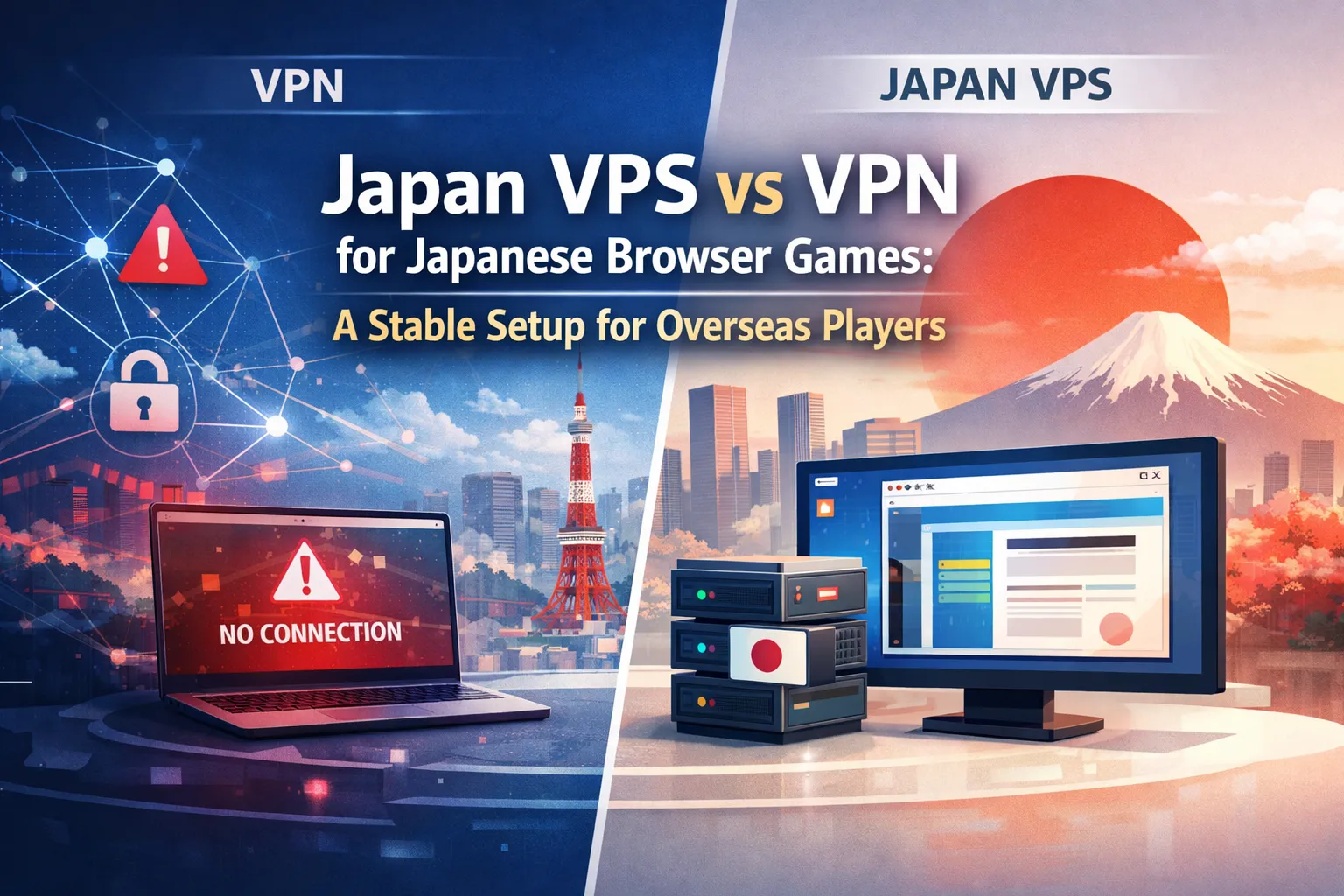
Many overseas players first try a VPN when they want to access Japanese browser games. It is an easy starting point for changing location and browsing through a Japanese IP address. However, browser games often require more than a simple route change. Shared IP addresses, unstable routing, session inconsistency, and login behavior can all affect whether a game works smoothly over time.
That is why some players begin looking for a more stable alternative. A Japan Windows VPS provides a remote desktop environment located in Japan, allowing the browser itself to run inside a Japan-based system. Instead of relying on a shared VPN server that may change from session to session, you can keep your browser, cookies, bookmarks, and login environment in one place. In this article, we explain why VPNs often stop working for Japanese browser games, how a Japan VPS changes the setup, and when it makes more sense than a standard VPN.
Why VPNs Often Stop Working for Japanese Browser Games
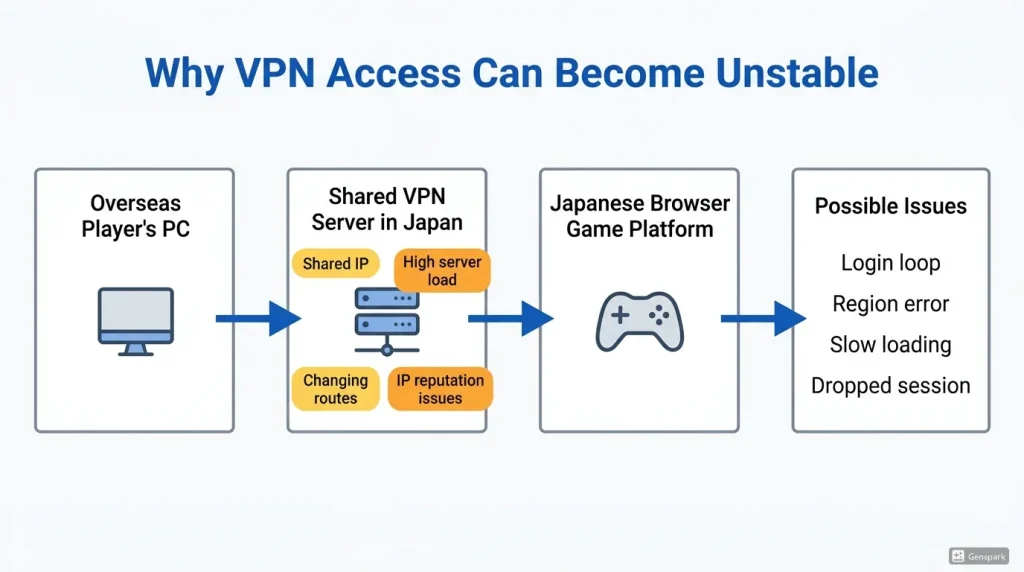
VPNs are useful for privacy, simple location switching, and general browsing. However, Japanese browser games can be more sensitive than ordinary websites. They may depend on stable sessions, consistent IP reputation, reliable routing, and a browser environment that remains consistent across visits.
For Japanese browser games, a VPN may solve the location issue at first but still create problems with IP reputation, session stability, and routing quality. That is why a VPN connection can sometimes appear to work initially, but fail when you log in, launch the game, load assets, or maintain a long session.
Shared IPs Can Trigger Blocks or Login Errors
Most consumer VPN services use shared IP addresses. This means many users connect through the same Japanese VPN server and appear to websites as the same IP address. From the game platform’s perspective, that IP may show unusual traffic patterns, repeated logins, or access from many unrelated accounts.
As a result, the VPN IP may be flagged, rate-limited, or blocked. For players, this can look like a region error, a failed login, a security check, or a page that keeps refreshing without reaching the game screen.
This does not mean every VPN will fail. Some VPN connections may still work for certain games or short sessions. The issue is consistency. If your VPN provider rotates IPs, changes routing, or operates overloaded Japanese servers, your access experience can change without warning.
Server Load and Routing Can Make Connections Unstable
Even when a VPN is not blocked, performance can still be inconsistent. Your connection travels from your local device to the VPN server, and then from the VPN server to the game platform. If the VPN server is crowded, or if the route between your country and Japan is unstable, you may experience slow loading, delayed responses, or dropped sessions.
This can be especially frustrating for browser games that require regular logins, event participation, or long sessions. A small delay may not matter when reading a website, but it can affect the comfort of playing a browser-based game through a remote connection.
If your VPN used to work but now fails randomly, the issue may not be a single browser setting. It may come from how consumer VPNs are typically structured: shared IP addresses, changing routes, and limited control over the connection environment.

Why Location and Access Environment Matter
For Japanese browser games, location is not just about displaying a Japanese IP address. The whole access environment can matter: IP reputation, browser session stability, connection consistency, and how the game platform recognizes your device over time.
This is where many overseas players start looking beyond a standard VPN. For users comparing a VPN with a Japan VPS for browser games, the key difference is whether the browser environment itself stays consistent.
Japanese Browser Games May Check More Than Your IP Address
A browser game platform may consider several signals when deciding whether an access attempt looks normal. These can include the IP address, login behavior, session history, browser cookies, account security settings, and network consistency.
If you use a VPN and the exit IP changes frequently, your login pattern may look different from one session to the next. One day you may appear from one Japanese VPN IP, the next day from another shared IP, and later from your normal overseas connection if the VPN drops. This can create friction, especially for accounts that require stable access.
Using any access tool should also be done responsibly. Always check the game’s terms of service and follow the rules of the platform you use. A Japan VPS is an infrastructure option, not a recommendation to ignore regional policies or service rules.
A Japan-Based Remote Environment Can Be More Consistent

A Japan VPS uses a different setup. Instead of running the game browser on your local overseas PC and sending traffic through a VPN, you run the browser inside a server located in Japan. You then connect to that server using Remote Desktop.
From the game platform’s point of view, the browser session comes from a Japan-based environment. Your cookies, browser settings, and game session can remain on that remote Windows desktop. This can make the access environment more consistent than switching between different VPN servers.
For overseas players, this is often easier to understand as “a Windows PC in Japan that you can control remotely.” You still use your local computer, but the actual browser game runs on the Japan VPS.
How a Windows Japan VPS Can Help Solve the Problem
A Japan VPS is not just another VPN. It is a remote server located in Japan. When you choose a Windows VPS, you get a remote Windows environment that you can access from your own device through Remote Desktop Protocol, commonly called RDP.
This setup is useful for browser games because the browser used for the game runs on a server in Japan. You are not only changing the route of your local traffic; you are moving the browser environment itself to a Japan-based machine.
Run the Browser Inside Japan Instead of Tunneling from Overseas
With a VPN, your local browser remains on your overseas PC. The VPN changes the network path, but your device, browser, and connection still depend on your local environment. If the VPN disconnects or the exit IP changes, your session may be interrupted.
With a Japan VPS, the browser is installed and used on the remote server. You open the browser inside the VPS, access the game platform from there, and control the screen remotely. This can help reduce problems caused by shared VPN exit nodes and unstable local-to-VPN routing.
This approach is especially helpful for players who want a repeatable setup for daily login, browser-based events, or long sessions where stability matters more than simply changing an IP address.
Use Remote Desktop to Access a Stable Windows Environment

A Japan Windows VPS is also practical because many users are already familiar with Windows. You can connect through Remote Desktop, open a browser, install basic tools, save bookmarks, and keep the environment separate from your local PC.
This separation can be useful if you play from multiple devices or travel often. Instead of setting up the same game access environment again on every local computer, you can connect to the same Japan VPS and continue from the same remote desktop.
For browser games, you usually do not need a complicated setup.
Japan VPS vs VPN: Which One Makes More Sense?
A VPN and a Japan VPS can both be useful, but they solve different problems. The best choice depends on what you need: quick browsing, privacy, a simple location change, stable game access, or a dedicated remote environment.
For Japanese browser games, the key question is not “Which is always better?” but “Which option gives me the consistency I need?” When comparing a Japan VPS vs VPN, the main difference is whether you only need a Japanese network route or a stable Japan-based desktop environment.
When a VPN May Be Enough
A VPN may be enough if you only need occasional access, if your game works reliably with your current VPN, or if you mainly want a simple way to route traffic through Japan for light browsing.
VPNs are easy to start, and they can be convenient for general use. If you do not experience login errors, region blocks, or unstable sessions, there may be no urgent need to change your setup.
However, if your VPN connection depends heavily on shared IPs, crowded servers, or changing routes, you may eventually run into the same problems again. This is common when many users access the same type of service through the same VPN provider.
When a Japan VPS Is a Better Choice

A Japan VPS makes more sense when you want a more consistent browser environment in Japan. It is especially useful if you often see login loops, region errors, slow loading, or random VPN failures.
It is also a better fit if you want to keep your game browser, bookmarks, cookies, and account session inside one remote Windows desktop. Instead of relying on whichever VPN server is available today, you use your own Japan-based VPS environment.
For players who regularly access Japanese browser games from overseas, this can be a more stable long-term setup than repeatedly changing VPN servers and hoping the next IP works.
The table below summarizes the practical differences between a VPN and a Japan VPS for overseas players.
| Use Case | VPN | Japan VPS |
|---|---|---|
| Quick location change | Good | Possible, but more than necessary |
| Stable browser game sessions | Depends on IP and routing | Better for a consistent Japan-based environment |
| Shared IP risk | Higher | Generally lower than typical shared VPN usage |
| Remote Windows desktop | No | Yes |
| Daily login and event play | May be unstable | More suitable for repeat use |
How to Get Started with a Japan Windows VPS
Getting started with a Japan Windows VPS is easier than many players expect. The basic idea is simple: choose a Japan Windows VPS plan, connect to it through Remote Desktop, set up your browser, and test whether your game access is more stable than your VPN setup.
You do not need to be a server expert to understand the workflow. Think of it as preparing a remote Windows PC in Japan.
Basic Setup Flow for Overseas Players
First, choose a Japan VPS plan that matches your usage. For browser games, the right plan depends on how many tabs you keep open, how heavy the game is, and whether you plan to use the VPS only for gaming or also for other tasks.
Second, connect to the VPS using Remote Desktop from your local PC. Once connected, you will see a Windows desktop running on the server in Japan.
Third, install or open your preferred browser inside the VPS. Configure basic settings, save bookmarks, and sign in to the game platform according to the service’s rules.
Finally, test access carefully. Check login behavior, page loading, game launch, audio settings if needed, and how the session performs over time. Do not assume the first test tells the whole story. Try the setup during the hours when you usually play.
This basic VPS setup for browser games helps overseas players test whether a Japan-based Windows environment is more reliable than their current VPN.
Practical Tips Before You Make It Your Main Setup
Before using a Japan VPS as your main environment, keep a few practical points in mind. Make sure your Remote Desktop connection feels smooth enough from your country. Close unnecessary apps inside the VPS to keep browser performance stable. Keep your browser updated, and avoid installing tools you do not need.
You should also protect your account carefully. Use strong passwords, enable security features where available, and avoid sharing your VPS login details. A VPS gives you more control than a shared VPN, but that also means you should manage it responsibly.
Most importantly, follow the terms of service of each game platform. A Japan VPS can provide a stable Japan-based remote environment, but it should be used in a way that respects the rules of the services you access.
Conclusion
For overseas players, a VPN can be useful for simple location switching, but it may not always provide the consistency needed for Japanese browser games. Shared IP addresses, changing routes, crowded VPN servers, and unstable sessions can all affect the playing experience.
A Japan Windows VPS offers a different approach. By running the browser inside a Japan-based remote Windows environment, players can keep their browser, cookies, bookmarks, and session in one place. This can make daily logins, browser-based events, and longer sessions easier to manage than relying on changing VPN servers.
Before choosing any setup, always check the rules of the game platform and use the service responsibly. If you need a stable Japan-based remote environment, a Japan VPS can be a practical option to consider.
FAQ
Q1. Is a Japan VPS better than a VPN for Japanese browser games?
A1. A Japan VPS may be better if you need a more consistent Japan-based browser environment. A VPN can be enough for simple browsing, but shared IP addresses, changing routes, and crowded servers can make browser game sessions unstable.
Q2. Do I need technical knowledge to use a Japan Windows VPS?
A2. Not necessarily. With a Windows VPS, you can connect through Remote Desktop and use it like a remote Windows PC in Japan. Basic tasks such as opening a browser, saving bookmarks, and testing game access are usually straightforward.
Q3. Can a Japan VPS guarantee access to every Japanese browser game?
A3. No. A Japan VPS can provide a stable Japan-based remote environment, but it does not guarantee access to every game or platform. Always check the game’s terms of service and follow the rules of the service you use.
Looking for a Stable Japan-Based Remote Environment?
If your VPN connection is unstable for Japanese browser games, a Japan Windows VPS can give you a consistent remote desktop environment in Japan. Compare available plans and choose the setup that fits your usage.