

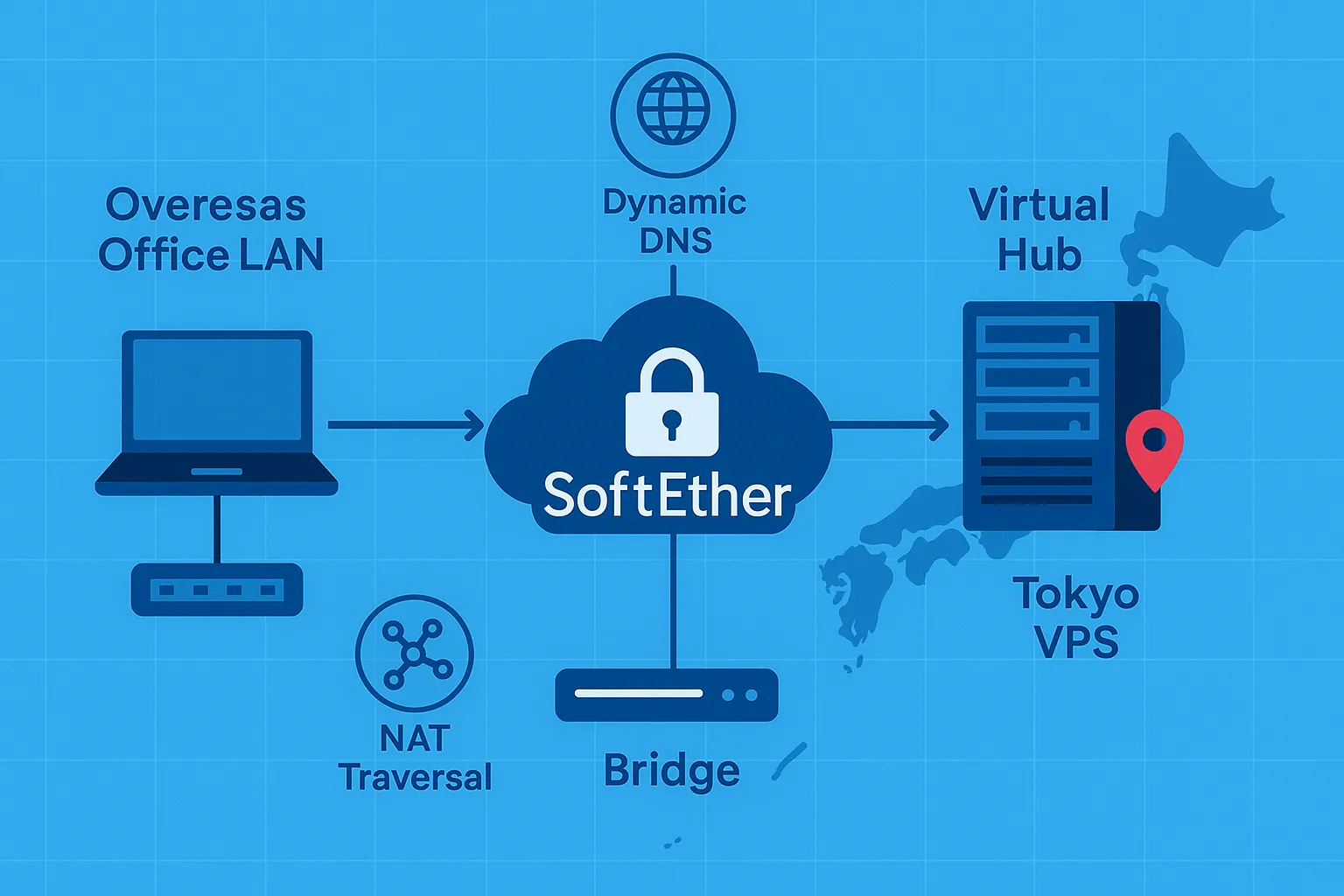
For global businesses, connecting an overseas branch office to a Japan VPS securely is essential. Applications such as ERP, VoIP, file sharing, and remote desktops work best when networks behave as one. SoftEther VPN is a free, open-source, and enterprise-ready solution that makes site-to-site VPN connectivity cost-effective. This guide explains how to link your branch to Tokyo using SoftEther on Windows, enabling reliable remote office connectivity.
What you’ll build: Overseas LAN ⟷ SoftEther VPN Bridge ⟷ Internet ⟷ SoftEther VPN Server (Tokyo VPS) ⟷ JP LAN.
This design allows DHCP and broadcast traffic to pass, making both sites feel like one network.
Why SoftEther VPN on a Japan VPS?
- Cross-platform: Runs on Windows, Linux, macOS, FreeBSD.
- High performance: SSL-VPN over HTTPS with optimized throughput.
- Firewall-friendly: NAT Traversal and Dynamic DNS reduce port forwarding.
- Flexible topologies: Supports point-to-site, site-to-site, and multi-branch setups.
Many overseas companies choose to host their VPN hubs and critical workloads in Japan-based data centers because of their reliability, connectivity, and compliance advantages.
Why Overseas Companies Choose Japan’s Data Centers: Trust, Compliance, and Stability
Step 1 — Tokyo VPS (central)
- Deploy a Japan-based VPS. Install SoftEther VPN Server and create a Virtual Hub with secure credentials.
- For LAN extension, configure a Local Bridge. For simpler access, use SecureNAT.
- Select a VPS with stable bandwidth and low latency for smooth remote office connectivity.
Step 2 — Overseas site (branch)
- Install SoftEther VPN Bridge on a Windows PC or server. Select the LAN NIC during setup.
- Create a Cascade Connection to the Tokyo Virtual Hub using the VPS’s Dynamic DNS hostname and credentials.
- Enable a Local Bridge so branch devices are virtually extended into Tokyo LAN.
If you don’t need to bridge an entire office network and only want individual PCs to connect securely to your Japan VPS, you can also use the SoftEther VPN Client instead of a full bridge setup.
How to Set Up SoftEther VPN Client on Windows: Step-by-Step Guide
Step 3 — NAT traversal & DNS
- Use built-in Dynamic DNS and NAT Traversal to avoid manual port forwarding.
- If outbound traffic is blocked, use VPN Azure as a fallback relay.
Security tips
- Use strong passwords or certificates to secure your enterprise VPN.
- Keep VPS and branch systems updated with patches.
- Enable logs and review them regularly.
- Restrict access: not every device needs full LAN rights.
Stability tips
- Keep MTU consistent across sites to prevent fragmentation.
- If broadcast traffic is high, switch to routed mode.
- Maintain a runbook and rotate credentials regularly.
If you’re designing this site-to-site setup as part of a broader resilience strategy — for example, staying online during major cloud outages — the article below explores practical patterns using a Japan-based VPS.
Stay Online During Cloud Outages: Why You Need a Japan-Based Backup Server
Use cases
This setup is ideal for overseas developers accessing test servers in Tokyo, branch offices using ERP, or teams sharing files on a Japan VPS. With SoftEther VPN site-to-site connectivity, companies avoid costly appliances while maintaining secure, enterprise-grade networking.
Once your site-to-site tunnel is in place, most teams will connect to their Japan-based Windows VPS over Remote Desktop for day-to-day management. If you’re new to RDP, the guide below walks through the setup step by step.
Remote Desktop Setup Guide for Your Windows VPS
We can deliver a pre-installed Japan VPS with SoftEther and provide a quick setup guide. Your branch can connect within minutes, reducing errors and ensuring reliable remote office connectivity.
Looking for a Japan-Based VPS?
If you regularly access Japanese online services from overseas, a Japan-based VPS gives you a dedicated remote Windows environment hosted in Japan. Compare available plans, resources, and connection options to find a setup that fits your needs.
